一个略微好看的 Git log pretty-format 配置
bash
git config --global format.pretty '%w(0,0,8)%C(auto)%h %s%n%C(bold blue)%an%Creset %Cgreen%cr%C(auto)%d'临时使用:
bash
git log --pretty=format:'%w(0,0,8)%C(auto)%h %s%n%C(bold blue)%an%Creset %Cgreen%cr%C(auto)%d'效果:
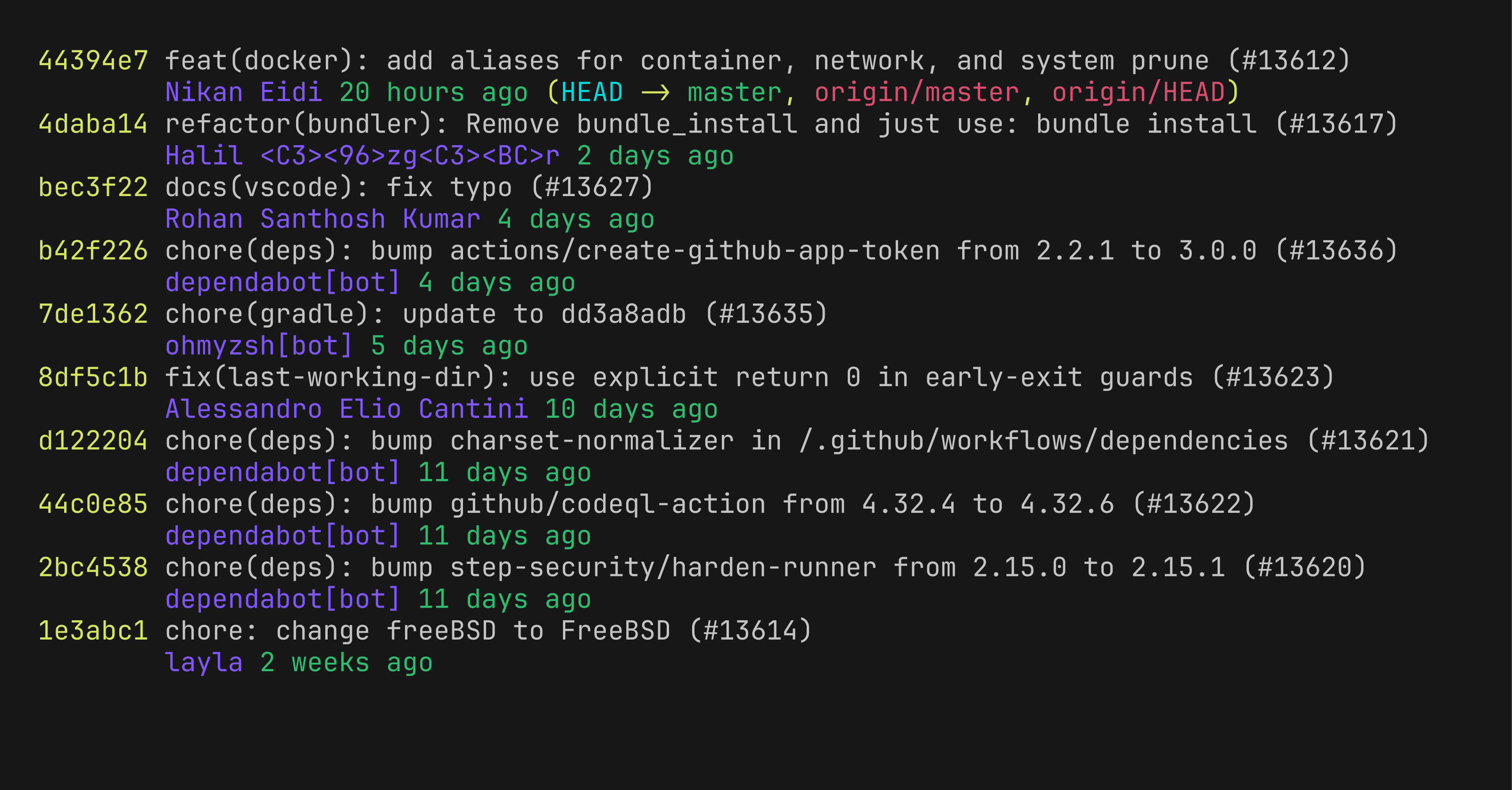
(用来演示的仓库是 https://github.com/ohmyzsh/ohmyzsh,图片由 https://github.com/charmbracelet/freeze 工具生成)
%w(0,0,8) 这个参数比较巧妙,他的三个参数分别是:
0:内容宽度,设置为 0 表示不限制内容宽度。0:indent1 参数,设置为 0 表示第一行不缩进。8:indent2 参数,设置为 8 表示后续行缩进 8 个空格。
这样可以把后续行都缩进到 commit hash 之后,保持整齐。
Git 文档:https://git-scm.com/docs/pretty-formats
text
-w[<width>[,<indent1>[,<indent2>]]]

    Linewrap the output by wrapping each line at width. The first line of each entry is indented by indent1 spaces, and the second and subsequent lines are indented by indent2 spaces. width, indent1, and indent2 default to 76, 6 and 9 respectively.

    If width is 0 (zero) then indent the lines of the output without wrapping them.